Docs
AI providers
Bring your own key, or point Veyra at a model on your own machine — and what actually costs money.
Connecting a provider
Veyra does not include a bundled model for answering. You connect the provider you want, from Settings.
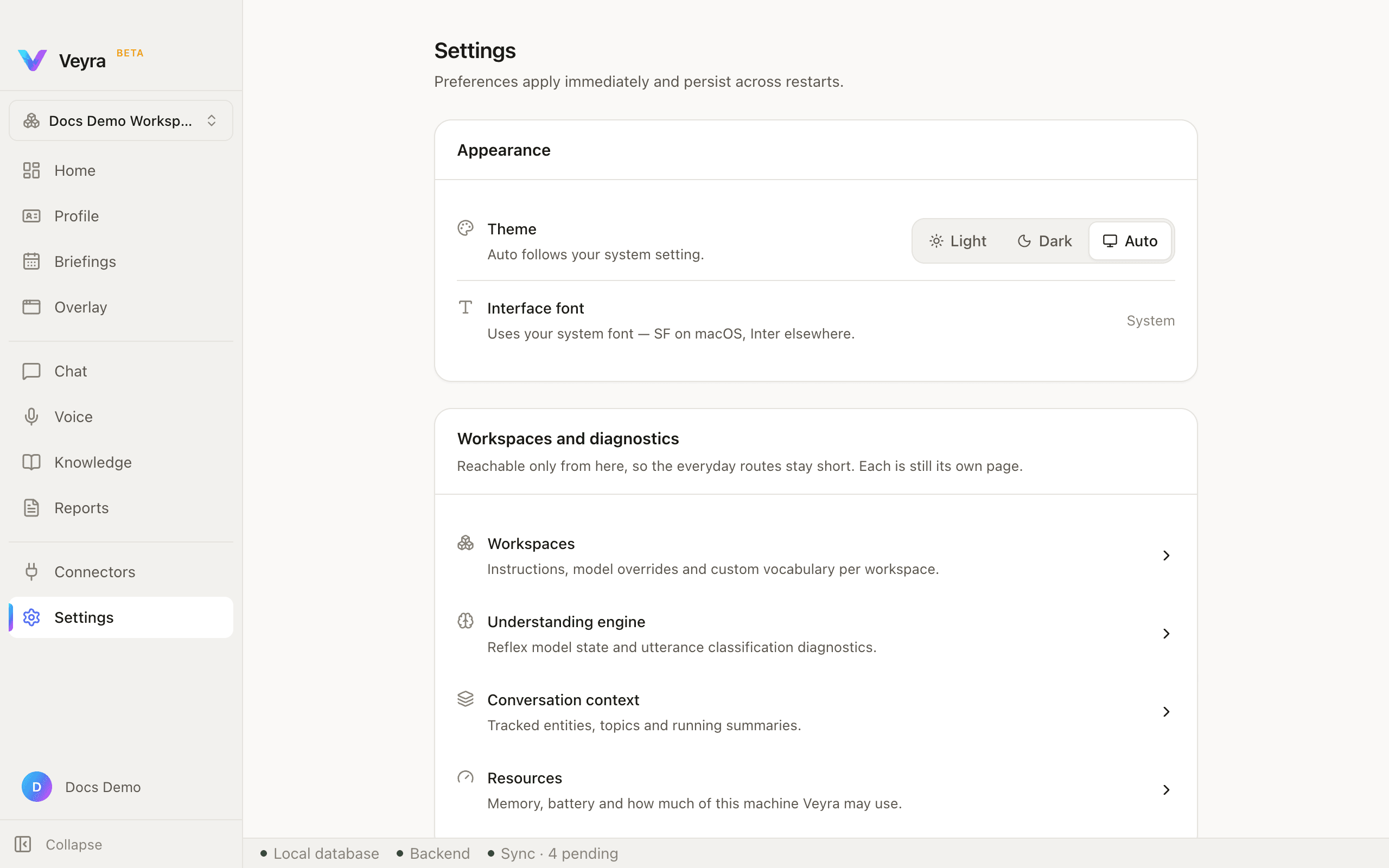
- OpenAI
- OpenRouter
- Google Gemini
Anything that speaks the OpenAI-compatible protocol works. Adding one is a base URL and a model name, never new code.
Anything else that speaks the OpenAI-compatible protocol works too — including Ollama, LM Studio, vLLM running on your own Mac.
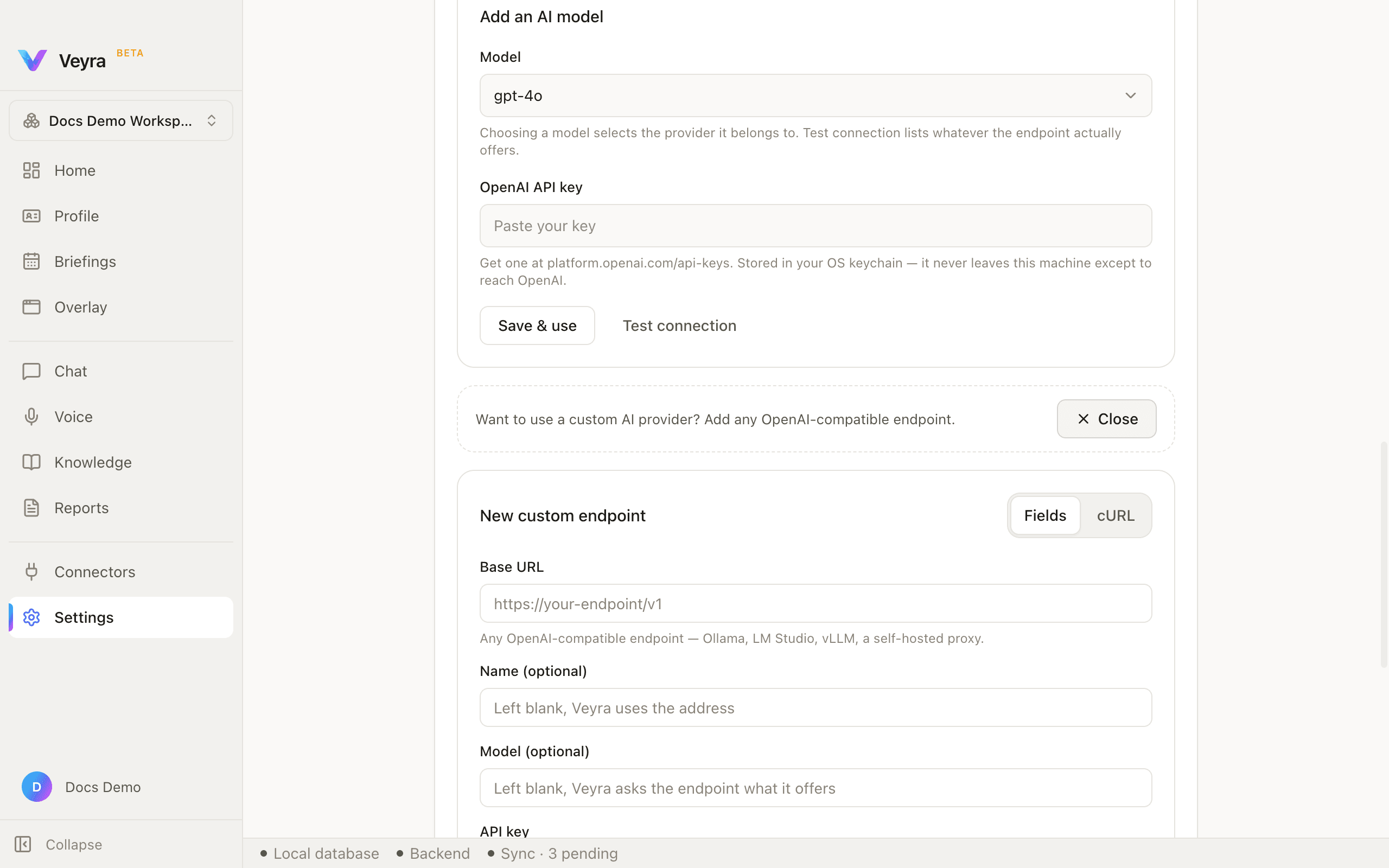
The top of the AI providers card is a cloud-preset picker — a Model dropdown grouped by provider, an API-key field, and Save & use / Test connection buttons. Below it, a dashed callout invites a custom endpoint. Clicking + Custom Provider swaps its label to ✕ Close and opens a form: a Fields / cURL toggle, then Base URL, Name (optional), Model (optional), and API key, each with its own hint — including, for API key, "Local servers that need no key can leave this empty."
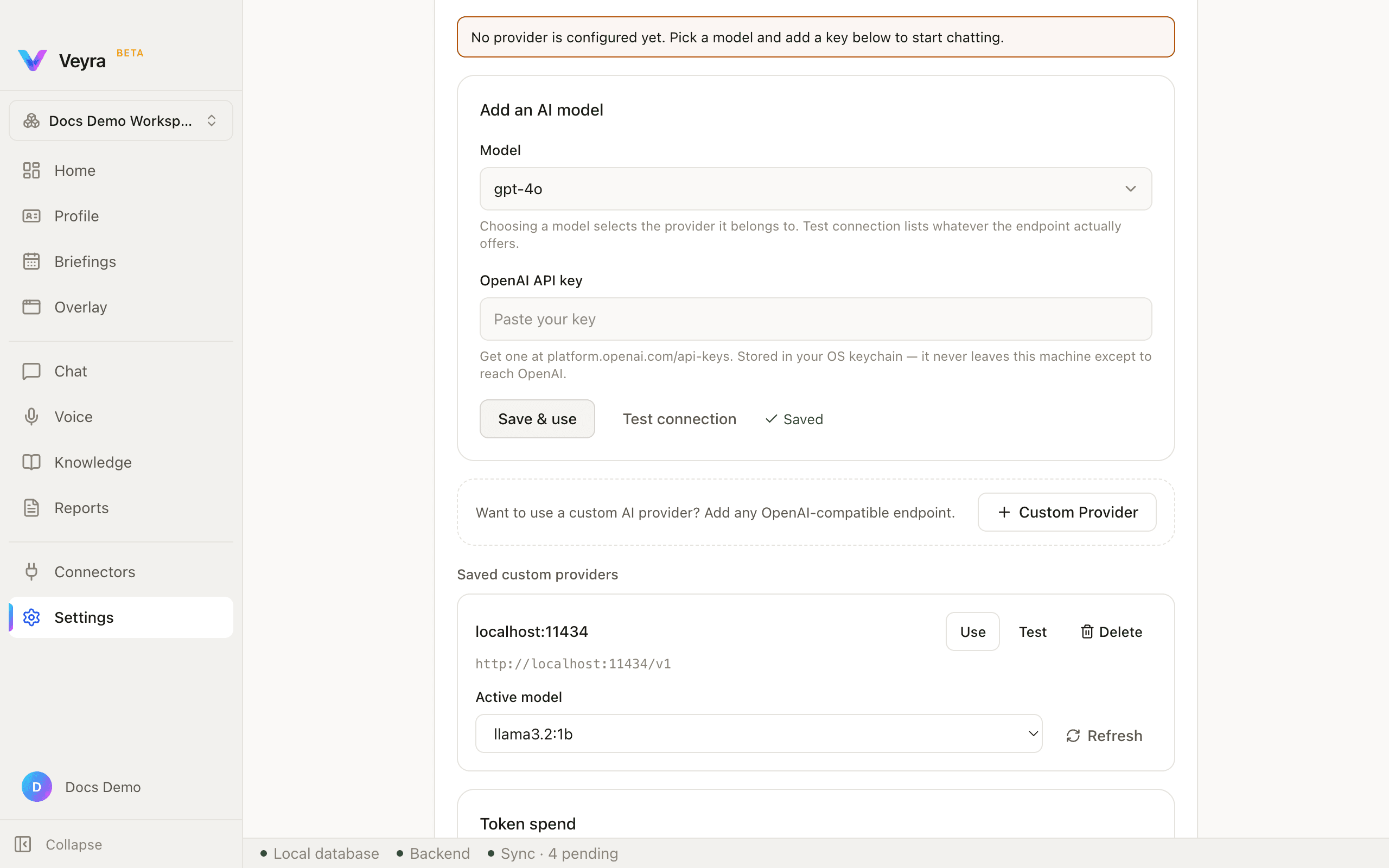
After adding an endpoint, it appears under Saved custom providers: its label (taken from the host), the base URL in monospace, an Active model dropdown populated by asking the endpoint what it actually offers, a Refresh button, and Use / Test / Delete actions.
Keys, and what actually costs money
Your API key lives in the macOS Keychain and is read only by the part of Veyra that talks to your provider. No part of the interface can request it.
Most of what Veyra does runs on your Mac and costs nothing. Only three operations reach your provider:
- Generating the answer
- Synthesising a briefing
- Generating your profile
Your cost is whatever your provider and model charge. Point Veyra at a model running on your own machine and there is no bill at all.
"Generating an answer is the only operation that costs money. Everything else runs on this machine." Settings shows this next to live Requests / Input tokens / Output tokens counters for whichever provider is active.